
Home automation has evolved from a futuristic concept into an accessible reality for DIY enthusiasts and tech-savvy homeowners. More people are taking control of their smart homes, seeking solutions that balance performance, affordability, and flexibility. However, the market’s overwhelming array of options often leaves builders uncertain about which hardware can truly deliver reliable automation without breaking the bank. Zima single board servers emerge as a compelling answer to this challenge, offering compact yet powerful platforms that excel at running home automation software, managing smart devices, and supporting self-hosting projects. These versatile servers combine low power consumption with robust processing capabilities, making them ideal for everything from basic lighting control to sophisticated multi-device ecosystems. This guide will walk you through understanding Zima’s offerings, selecting the right model for your specific requirements, and implementing practical home automation solutions. Whether you’re building your first smart home hub or expanding into advanced NAS solutions and self-hosted services, you’ll find actionable insights to maximize your Zima server’s potential and create a truly personalized connected home environment.
Understanding Zima Single Board Servers for Home Automation
A single board server consolidates all essential computing components—processor, memory, storage, and connectivity—onto one compact circuit board, distinguishing it from traditional PCs that use multiple interconnected parts. Unlike Raspberry Pi boards designed primarily for education and lightweight projects, Zima servers target more demanding applications with enhanced processing power, expanded storage interfaces, and enterprise-grade reliability features. These platforms draw minimal electricity, typically consuming under 15 watts during operation, making them economical for continuous 24/7 use in home environments. Their compact footprint allows installation in tight spaces like network closets or entertainment centers without requiring dedicated cooling systems. Zima products ship with multiple Gigabit Ethernet ports, USB 3.0 connections, and SATA interfaces that accommodate various peripherals and storage drives simultaneously. In modern smart homes, these servers function as central coordination hubs, running automation platforms that communicate with lights, thermostats, security cameras, and sensors through protocols like Zigbee, Z-Wave, or Wi-Fi. Their x86 or ARM architectures support popular home automation software including Home Assistant, Domoticz, and Node-RED without performance compromises. Beyond device control, Zima servers excel at self-hosting projects, enabling homeowners to run personal file servers, media libraries, and web applications locally rather than relying on cloud services. This independence grants complete data ownership while eliminating monthly subscription fees and privacy concerns associated with third-party platforms.
How to Choose the Right Zima Product for Your Specific Needs
Selecting the appropriate Zima server requires matching hardware capabilities to your automation ambitions and technical comfort level. Start by assessing your project scope: simple lighting and thermostat control demands less processing power than running multiple virtual machines or 4K media transcoding. Entry-level Zima models with dual-core processors and 4GB RAM handle basic automation platforms and a dozen smart devices comfortably, while mid-range options featuring quad-core chips and 8GB memory support complex automation logic, simultaneous media streaming, and modest file serving. For users planning comprehensive NAS solutions or heavy containerized applications, premium Zima boards with six or more cores and 16GB RAM prevent performance bottlenecks during peak usage.
Evaluating Zima Models for Different Tasks
Beginners exploring home automation should consider compact Zima models that balance affordability with adequate connectivity—look for at least two Gigabit Ethernet ports and four USB 3.0 connections to accommodate future expansion. These entry boards run Home Assistant or similar platforms smoothly while supporting basic NAS solutions through external USB drives. Advanced users managing extensive smart home ecosystems or dedicated media servers benefit from Zima products featuring multiple SATA ports for direct drive connections, PCIe expansion slots for network cards or SSDs, and enhanced cooling systems that maintain stability under continuous loads. Community forums and documentation repositories provide valuable insights into real-world performance across different Zima product lines.
Matching Features to Your Home Automation Goals
Prioritize connectivity options based on your device ecosystem—homes with numerous wired sensors need extra Ethernet ports, while USB-heavy setups require powered hubs or models with abundant USB connections. Storage requirements vary dramatically: automation databases consume minimal space, but self-hosting projects like personal photo libraries or security camera archives demand terabytes of capacity, making SATA support essential. Future-proof your investment by selecting Zima servers with at least 50% more processing headroom than current needs anticipate, allowing gradual expansion without hardware replacement. Consider power delivery specifications too, ensuring your chosen model supports any USB-powered peripherals like Zigbee coordinators or external SSDs without requiring separate power adapters.
Step-by-Step Guide to Setting Up Home Automation with Zima Single Board Servers
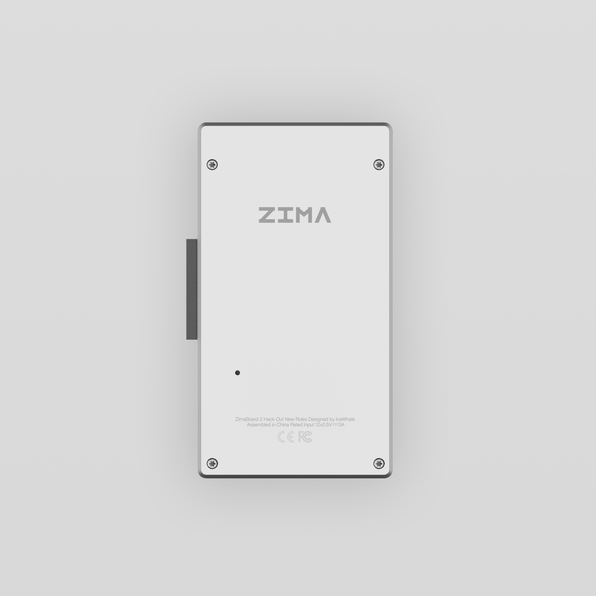
Transforming your Zima server into a functional home automation hub begins with proper preparation and methodical execution. Before powering on your device, gather essential components: a quality microSD card or SSD for the operating system, an Ethernet cable for stable network connectivity, and a reliable power supply matching your model’s voltage requirements. Download your preferred operating system image—popular choices include Ubuntu Server, Debian, or specialized distributions like Home Assistant OS that streamline automation deployment. Use imaging software like Balena Etcher to write the OS to your storage media, ensuring data integrity through verification options. Insert the prepared storage into your Zima server, connect peripherals including keyboard and monitor for initial configuration, then apply power and access the BIOS to confirm boot priority settings.
Initial Setup and Configuration
Once the OS boots, complete the installation wizard by setting your timezone, creating a user account with a strong password combining letters, numbers, and symbols, and configuring network settings with a static IP address to ensure consistent access. Immediately update system packages using your distribution’s package manager to patch security vulnerabilities. Enable the built-in firewall, allowing only necessary ports like 22 for SSH and 8123 for Home Assistant web interfaces. Configure automatic security updates to maintain protection without manual intervention, and disable root login via SSH to prevent unauthorized access attempts.
Integrating Smart Devices and Creating Automation Rules
Install your chosen home automation platform through official repositories or Docker containers for easier management and updates. Launch the web interface and begin device discovery—most platforms automatically detect compatible smart lights, switches, and sensors on your network. For Zigbee or Z-Wave devices, connect a USB coordinator to your Zima server and add devices through pairing modes. Create your first automation by defining triggers like motion detection or time schedules, then specify actions such as turning on lights or adjusting thermostats. Test simple rules before building complex sequences, and organize devices into rooms or zones for intuitive control through mobile apps or voice assistants.
Testing and Optimizing Your Setup
Validate each automation rule by manually triggering conditions and observing responses—verify lights activate at correct brightness levels and notifications arrive promptly. Monitor system resources through built-in dashboards or tools like htop to identify memory leaks or CPU spikes during peak activity. Enable logging within your automation platform to track device communications and diagnose failures when rules don’t execute as expected. Schedule regular database maintenance to prevent performance degradation, and establish backup routines that export configurations to external storage weekly, ensuring quick recovery from corruption or hardware failures while maintaining your carefully crafted automation logic.
Advanced Self-Hosting Projects and NAS Solutions with Zima
Beyond coordinating smart devices, Zima servers unlock powerful self-hosting capabilities that transform how you manage data and services. Building a Network-Attached Storage system centralizes family photos, documents, and media collections in one accessible location, eliminating reliance on subscription-based cloud services that charge recurring fees while limiting storage capacity. Zima’s multiple SATA ports and USB 3.0 interfaces support various drive configurations, enabling terabytes of local storage accessible from any device on your network. Media enthusiasts install Plex or Jellyfin to stream personal video libraries to televisions, tablets, and phones throughout the home without buffering or quality compromises imposed by external platforms. Privacy-conscious users deploy Nextcloud for personal cloud storage, synchronizing files across devices while maintaining complete ownership of sensitive data. These self-hosting projects deliver tangible benefits: reduced monthly expenses, enhanced data security through local control, and independence from service disruptions or policy changes affecting commercial providers. Zima’s consistent uptime and low operational costs make continuous availability practical for household budgets.
Building a Reliable NAS with Zima Products
Establishing your NAS begins with drive selection—choose enterprise-grade hard drives rated for continuous operation rather than desktop models prone to premature failure under constant use. Connect drives to available SATA ports or USB enclosures, then configure RAID arrays through software like mdadm for redundancy that protects against single drive failures. Install file sharing services such as Samba for Windows compatibility or NFS for Linux environments, creating network shares accessible through standard file browsers. Set appropriate permissions restricting folder access to authorized users, and enable automatic backup scripts that duplicate critical data to external drives weekly, safeguarding against both hardware failures and accidental deletions while maximizing your storage potential.
Creative Self-Hosting Ideas for Tech Enthusiasts
Expand your server’s utility by hosting a home surveillance system using motion-activated cameras paired with Frigate or Shinobi software that records footage locally without cloud subscription requirements. Gaming enthusiasts run Minecraft or Terraria servers for private multiplayer sessions with friends, controlling game rules and modifications impossible on commercial hosts. Deploy WireGuard or OpenVPN to create secure remote access tunnels, enabling safe connections to your home network from public Wi-Fi when traveling. Each project leverages processing capabilities while fostering technical skills, and active online communities provide configuration guides, troubleshooting assistance, and innovative applications that continuously reveal new possibilities for your self-hosted infrastructure.
Tips for Troubleshooting and Maintaining Your Zima Single Board Server
Even well-configured Zima servers occasionally encounter issues that disrupt automation workflows or service availability. Network connectivity problems often stem from IP address conflicts—verify your static IP configuration doesn’t overlap with your router’s DHCP range, and restart networking services if devices become unreachable. Software crashes typically indicate memory exhaustion or incompatible updates; check system logs using journalctl commands to identify problematic services, then allocate additional RAM through configuration files or roll back recent package changes. Performance bottlenecks manifest as sluggish interfaces or delayed automation responses—use monitoring tools to identify resource-hungry processes, then optimize by disabling unnecessary services or migrating intensive tasks to scheduled off-peak hours. Maintain system health through monthly routines: clean dust from ventilation openings to prevent thermal throttling, verify backup integrity by testing restoration procedures, and review automation logs for recurring errors requiring rule adjustments. Apply security patches within days of release to protect against vulnerabilities, but test updates on non-critical systems first when possible. Schedule quarterly reviews of storage capacity, expanding drives before reaching 80% utilization to prevent database corruption or failed recordings. These proactive measures ensure your Zima server delivers consistent performance while minimizing unexpected downtime.
Building Your Smart Home Future with Zima
Zima single board servers represent a practical gateway into sophisticated home automation and self-hosting, delivering enterprise-level capabilities in compact, energy-efficient packages that fit any household budget. Throughout this guide, you’ve discovered how these versatile platforms differ from conventional computing hardware, learned to evaluate models against your specific automation ambitions, and gained actionable knowledge for implementing everything from basic smart device coordination to comprehensive NAS solutions. The selection process hinges on honestly assessing your current requirements while planning for future expansion—choosing hardware with adequate processing headroom prevents costly replacements as your projects evolve. Following systematic setup procedures ensures stable foundations, while exploring advanced self-hosting opportunities unlocks genuine independence from subscription services and corporate data policies. Regular maintenance and proactive troubleshooting preserve performance, transforming your server into a reliable household utility that operates seamlessly for years. As home automation technology continues advancing and self-hosting communities expand, your platform positions you to adopt emerging protocols, experiment with innovative applications, and refine your connected environment according to personal preferences rather than vendor limitations. Begin with a single automation project today, experience the satisfaction of local control over your digital life, and gradually build the customized smart home ecosystem you’ve envisioned—your Zima server stands ready to support every step of that journey.